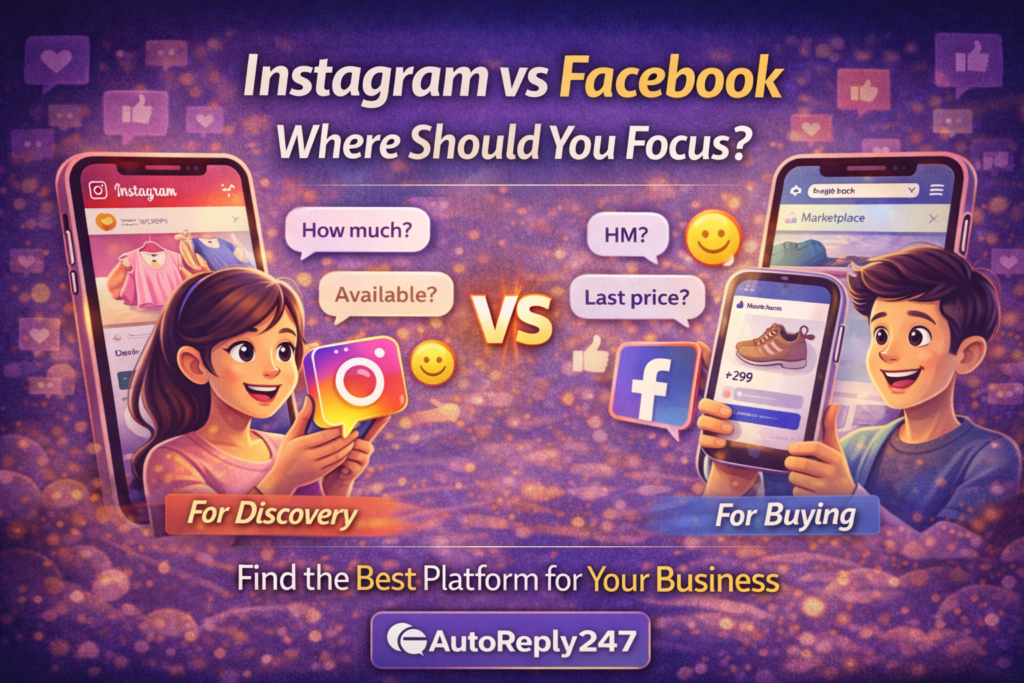
Instagram vs Facebook: Where Should You Focus?

If you’re running a small business, you’ve probably asked this:

👉 Should I focus on Instagram or Facebook?

Short answer?

👉 It depends on where your customers actually are.

But let’s break it down in a simple, honest way — no complicated marketing talk.


The Truth: You Don’t Need to Be Everywhere

A lot of people try to be active on both:

  • Posting on Facebook
  • Posting on Instagram
  • Replying everywhere

And then they burn out.

👉 You don’t need to do everything.

You just need to focus on what actually brings sales.


What Facebook Is Good At

Facebook is still strong — especially here locally.

It works best if you:

  • Sell to a wider audience
  • Post in groups
  • Run Marketplace listings
  • Target slightly older buyers

People on Facebook are used to:

👉 Asking directly
👉 Comparing prices
👉 Buying quickly

You’ll see a lot of:

  • “HM?”
  • “Last price?”
  • “Available?”

What Instagram Is Good At

Instagram is more visual.

People go there to:

  • Discover products
  • Browse content
  • Check your brand

It works best if your product is:

  • Aesthetic
  • Trendy
  • Lifestyle-based

Think:

  • Clothing
  • Beauty
  • Food
  • Accessories

On Instagram, people usually:

👉 Look first
👉 Message later


Big Difference (This Matters)

Here’s the simplest way to look at it:

  • Facebook = Intent (ready to buy)
  • Instagram = Discovery (still deciding)

That’s why:

👉 Facebook usually converts faster
👉 Instagram builds interest first


So… Which One Should You Focus On?

If you’re just starting:

👉 Pick ONE first.

Don’t split your energy.

Choose Facebook if:

  • You want faster sales
  • You rely on chat + direct selling
  • You’re active in groups

Choose Instagram if:

  • Your product is visual
  • You enjoy creating content
  • You want to build a brand

What Smart Sellers Actually Do

Once things start working…

👉 they use both — but differently.

Example:

  • Instagram → attract attention
  • Facebook → close the sale

Or:

  • Instagram → showcase products
  • DMs (either platform) → convert

The Real Game: Messages

Here’s what most people miss:

👉 It’s not about the platform.

👉 It’s about what happens after the message comes in.

Whether it’s Facebook or Instagram…

If you reply late → you lose
If you reply fast → you win


Keep It Practical

Don’t overthink this.

Ask yourself:

👉 “Where do most of my messages come from?”

That’s your answer.

Double down on that first.


Conclusion

There’s no “better” platform.

Only what works better for your business.

Start with one.

Get results.

Then expand.

But no matter where your customers come from…

👉 fast replies will always win.


🚀 Want to reply to every customer instantly?

Try AutoReply247 and automate your Facebook & Instagram messages in minutes.

👉 Get started now: https://autoreply247.com
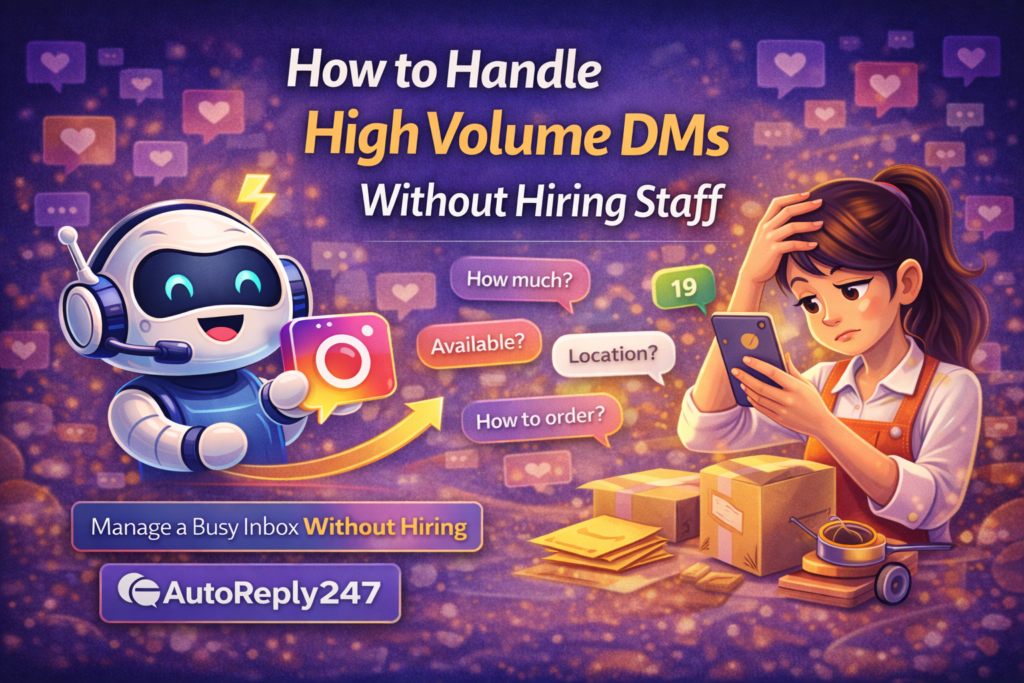

How to Handle High Volume DMs Without Hiring Staff

If your Instagram or Facebook inbox looks like this…

  • “How much?”
  • “Available?”
  • “Location?”
  • “How to order?”

…over and over again — that’s actually a good problem.

👉 It means people are interested.

But here’s the catch:

Once messages start piling up, it gets overwhelming fast.

You try to reply to everyone…
You get tired…
You miss messages…

And before you know it:

👉 You’re losing sales without realizing it.


The Reality of Handling Many Messages

Let’s be honest.

If you’re a small business owner, you’re probably:

  • Packing orders
  • Posting content
  • Talking to customers
  • Doing everything yourself

You can’t sit and reply all day.

And you definitely can’t reply 24/7.

So when volume increases…

👉 manual replies start to break down.


Why Hiring Isn’t Always the Best Option

Some people say:

👉 “Just hire someone.”

But that’s not always practical.

  • It costs money
  • You need to train them
  • They might not reply the way you want
  • You still need to manage them

For many small businesses, that’s too much.


A Simpler Way to Handle Everything

Instead of adding more people…

👉 build a simple system.

Not something complicated.

Just something that helps you:

  • Reply faster
  • Stay consistent
  • Not miss messages

What Actually Works (Simple Setup)

Here’s what you can do — even today.

1. Set an Instant Reply

So the moment someone messages you, they don’t feel ignored.

Something simple like:

“Hi! 😊 Thanks for messaging. We’ll reply shortly!”

That alone already improves your response time.


2. Automate Common Questions

You already know what people ask:

  • Price
  • Availability
  • Location
  • Delivery

Instead of typing the same answers again and again…

👉 just automate them.


3. Use Follow-Ups

Not everyone replies immediately.

Some people get distracted.

A simple follow-up like:

“Hi 😊 Just checking if you’re still interested!”

…can bring them back.


4. Reply Manually Only When Needed

You don’t need to reply to everything.

Let the system handle the repetitive stuff.

Then you step in when:

  • Someone is ready to order
  • There’s a special request
  • You need to close the sale

What This Changes for You

Once you set this up, things feel different.

  • Your inbox becomes manageable
  • You stop feeling pressured to reply instantly
  • Customers still get fast responses
  • You don’t miss opportunities

👉 You’re no longer chasing messages.


Real Talk

Most businesses don’t fail because of lack of customers.

They fail because they can’t handle demand properly.

Messages come in…

…but there’s no system behind it.

So everything gets messy.


Keep It Simple

You don’t need:

  • A big team
  • Complicated tools
  • Fancy setups

You just need:

👉 Fast replies
👉 Simple automation
👉 A clear flow

That’s it.


Conclusion

If your inbox is getting busy, that’s a sign your business is growing.

The goal isn’t to work harder…

👉 it’s to handle things smarter.

Because at the end of the day:

👉 The businesses that respond faster — win.


🚀 Want to reply to every customer instantly?

Try AutoReply247 and automate your Facebook & Instagram messages in minutes.

👉 Get started now: https://autoreply247.com
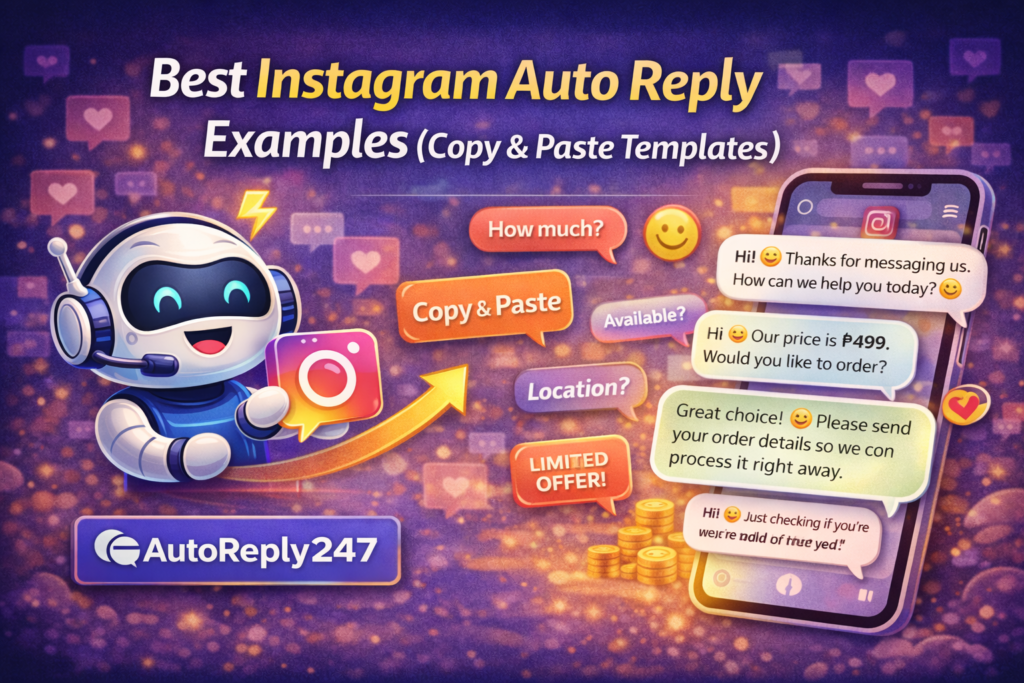

Best Instagram Auto Reply Examples (Copy & Paste Templates)

If you’re running a business on Instagram, you’ve probably seen messages like:

  • “How much?”
  • “Available?”
  • “Location?”

And if you’re replying manually every time…

👉 you’re wasting time and losing sales.

The solution?

👉 Use proven auto reply templates.

In this guide, you’ll get ready-to-copy Instagram auto replies you can use today to respond faster and convert more customers.


Why Auto Reply Templates Work

Instead of thinking of what to say every time…

👉 you use pre-written responses that:

  • Save time
  • Keep replies consistent
  • Increase conversion rates

👉 Faster replies = more sales


💬 1. Instant Welcome Message

Use this as your first reply:

Template:
“Hi! 👋 Thanks for messaging us. How can we help you today? 😊”


💰 2. Price Inquiry Replies (“How much?”)

Template 1:
“Hi 😊 Our price is ₱499. Would you like to order?”

Template 2:
“Hello! 👋 This item is ₱499. We also offer delivery. Interested to order?”


📦 3. Availability Replies

Template:
“Yes 😊 This item is available. Would you like us to reserve one for you?”


📍 4. Location / Delivery Replies

Template:
“We’re located in [Your City], and we offer nationwide delivery 🚚 Would you like to order?”


🛒 5. Order Instructions

Template:
“To order, please send your:
Name:
Address:
Contact Number:
Item & Quantity: 😊”


⏰ 6. Follow-Up Message (No Reply)

Template:
“Hi 😊 Just checking if you’re still interested. We still have stock available!”


🔥 7. Limited Offer / Urgency

Template:
“Hi! 😊 We only have a few items left today. Let us know if you’d like to reserve one!”


❌ 8. Out of Stock Reply

Template:
“Hi! 😊 This item is currently out of stock, but we can notify you once available. Would you like us to update you?”


🤝 9. Closing the Sale

Template:
“Great choice! 😊 Please send your order details so we can process it right away.”


💡 Pro Tips to Make Templates Convert Better

✅ Keep it short and clear

✅ Use emojis naturally

✅ Always include a CTA

✅ Sound human, not robotic


⚙️ How to Use These Templates Automatically

Instead of copying and pasting every time…

👉 you can automate these replies.

Set them up as:

  • Instant replies
  • Keyword triggers
  • AI responses

So they send automatically when a customer messages you.


📈 What Happens When You Use Templates

Once you apply these:

  • Faster replies
  • More conversations
  • Higher conversions
  • Less manual work

👉 Simple templates = big results


Conclusion

You don’t need to overthink your replies.

👉 You just need the right templates.

Use these proven messages, automate them, and you’ll:

  • Save time
  • Reply faster
  • Close more sales

🚀 Want to reply to every customer instantly?

Try AutoReply247 and automate your Facebook & Instagram messages in minutes.

👉 Get started now: https://autoreply247.com
Why Instagram DMs Are the New Sales Channel

Not too long ago, businesses relied on:

  • Websites
  • Emails
  • Physical stores

But today?

👉 Sales are happening inside Instagram DMs.

If you’re not using DMs to sell, you’re missing a massive opportunity.

Let’s break down why Instagram messages have become one of the most powerful sales channels in 2026.


The Shift: From Feeds to Conversations

Before, customers would:

  • Browse posts
  • Click links
  • Visit websites

Now?

👉 They just send a message.

Example:

  • “HM?”
  • “Available?”
  • “How to order?”

It’s faster, easier, and more personal.


💬 Why Customers Prefer DMs

1. It’s Instant

No forms. No waiting.

👉 Just message and get answers immediately.


2. It Feels Personal

Customers feel like they’re talking directly to a seller.

This builds trust quickly.


3. It’s Convenient

Everything happens in one place:

  • Asking questions
  • Confirming details
  • Placing orders

4. It’s Mobile-First

Most users are on their phones.

👉 Messaging is the easiest action.


📈 Why Businesses Are Moving to DMs

Smart businesses are adapting fast.

Why?

Because DMs:

  • Convert faster
  • Reduce friction
  • Increase engagement
  • Close sales quicker

👉 It’s not just communication — it’s conversion.


⚠️ The Problem: Too Many Messages

As your business grows:

  • Messages increase
  • Response time slows down
  • You miss opportunities

👉 More demand = more pressure

And this is where most businesses fail.


🤖 The Solution: DM Automation

To fully use DMs as a sales channel, you need:

👉 Speed + consistency

Automation helps you:

  • Reply instantly
  • Handle multiple customers
  • Never miss a message
  • Follow up automatically

💡 How to Turn DMs Into a Sales Machine

Here’s a simple system:

1. Instant Reply

Greet customers immediately.


2. Answer FAQs

Price, availability, location.


3. Guide the Conversation

Ask what they need.


4. Present the Offer

Clear and direct.


5. Close or Follow-Up

Push toward a decision.


🔥 Real Talk: Attention Is Short

Customers don’t wait anymore.

If you don’t reply fast:

👉 they move on.

Your competitor is just one message away.


🚀 What Happens When You Master DMs

When you treat DMs as a sales channel:

  • You close deals faster
  • You increase conversion rates
  • You build stronger relationships
  • You grow consistently

👉 It becomes your most powerful revenue source.


Conclusion

Instagram is no longer just for content…

👉 It’s where conversations turn into sales.

If you want to grow your business in 2026:

👉 You need to be where your customers are
👉 And your customers are in your DMs


🚀 Want to reply to every customer instantly?

Try AutoReply247 and automate your Facebook & Instagram messages in minutes.

👉 Get started now: https://autoreply247.com
How to Turn Instagram Messages Into Sales Automatically

If you’re getting messages on Instagram but not making enough sales…

👉 you’re not alone.

A lot of small businesses get tons of DMs like:

  • “How much?”
  • “Available?”
  • “Last price?”

But here’s the problem:

👉 Most of those conversations never turn into sales.

Why?

Because there’s no system.

In this guide, you’ll learn how to turn Instagram messages into actual paying customers — automatically.


The Real Problem: Messages ≠ Sales

Getting messages feels good.

But messages alone don’t mean anything.

Here’s what usually happens:

  • You reply late
  • The customer loses interest
  • The conversation dies
  • No sale

👉 Without a system, you’re just chatting — not selling.


💡 The Simple Sales Flow That Works

To convert messages into sales, you need a structured flow:

1. Instant Reply

2. Qualification

3. Offer

4. Call to Action

5. Follow-Up

This is how real businesses turn chats into money.


⚙️ Step-by-Step: Turn DMs Into Sales

Step 1: Send an Instant Reply

First impressions matter.

The moment someone messages you, reply instantly.

Example:

“Hi! 👋 Thanks for your message. Are you looking for pricing or availability?”


Step 2: Qualify the Customer

Find out what they need.

Example:

  • “Which product are you interested in?”
  • “Where are you located?”

👉 This helps you give the right offer.


Step 3: Send a Clear Offer

Don’t be vague.

Example:

“Hi 😊 This item is ₱499. We offer delivery nationwide. Would you like to order?”


Step 4: Add a Strong Call-to-Action

Always guide the next step.

Examples:

  • “Send your details to order”
  • “Click here to checkout”
  • “Reply YES to confirm”

👉 No CTA = no sale.


Step 5: Follow Up Automatically

Most sales happen on follow-up.

Example:

“Hi 😊 Just checking if you’re still interested. We still have stock available!”


🤖 Where Automation Comes In

Now imagine doing all of that…

👉 automatically.

With automation, you can:

  • Reply instantly
  • Ask qualifying questions
  • Send offers
  • Follow up

All without being online.


📈 Why Automation Increases Sales

Here’s what changes when you automate:

  • Faster replies → more engagement
  • Structured flow → better conversations
  • Follow-ups → more conversions

👉 You stop losing leads.


🔥 Example: Manual vs Automated

Manual:

Customer: “How much?”
You: (reply after 1 hour)
Customer: seen

❌ Lost sale


Automated:

Customer: “How much?”
Auto reply: “Hi 😊 It’s ₱499. Would you like to order?”
Follow-up: “We still have stock available!”

✅ Higher chance of sale


⚠️ Common Mistakes That Kill Sales

Avoid these:

  • Replying too late
  • No clear offer
  • No call-to-action
  • No follow-up

👉 These small mistakes = big lost revenue.


💡 Pro Tip: Keep It Simple

You don’t need a complicated funnel.

Just focus on:

  • Fast reply
  • Clear message
  • Strong CTA

That’s enough to increase your sales significantly.


Conclusion

Instagram messages are full of opportunities…

But only if you handle them correctly.

If you want to turn chats into cash:

👉 You need speed
👉 You need structure
👉 You need automation

Because in today’s market…

👉 The fastest and smartest seller wins.


🚀 Want to reply to every customer instantly?

Try AutoReply247 and automate your Facebook & Instagram messages in minutes.

👉 Get started now: https://autoreply247.com

Instagram DM Automation for Small Businesses (Beginner Guide)

If you’re running a small business on Instagram, you already know this:

👉 Your DMs are where sales happen.

Every message is a potential customer.

But here’s the problem…

  • You can’t reply 24/7
  • Messages pile up
  • You reply late
  • You lose sales

So what’s the solution?

👉 Instagram DM automation.

In this beginner guide, you’ll learn how it works and how to use it to grow your business.


What Is Instagram DM Automation?

Instagram DM automation is a system that:

👉 Automatically replies to your messages

Instead of replying manually, the system can:

  • Send instant replies
  • Answer common questions
  • Follow up with customers
  • Handle multiple chats at once

All without you being online.


Why Small Businesses Need DM Automation

Let’s be real:

You don’t have a team.

You’re doing everything:

  • Marketing
  • Sales
  • Customer support

👉 You can’t be online all the time.

That’s why automation is powerful.

With DM automation, you can:

  • Reply instantly (even while sleeping)
  • Handle unlimited messages
  • Never miss a customer
  • Increase your chances of closing sales

💡 How Instagram DM Automation Works

Here’s a simple breakdown:

  1. Customer sends a message
  2. System detects the message
  3. Auto reply is triggered instantly
  4. Conversation continues automatically

Example:

Customer: “How much?”
Auto reply: “Hi! 😊 Our price is ₱499. Would you like to order?”


⚙️ How to Set Up Instagram DM Automation (Beginner Steps)

Step 1: Switch to a Business Account

Make sure your Instagram is set to Business or Creator.


Step 2: Connect to a Facebook Page

Instagram automation works through Facebook integration.


Step 3: Use an Automation Tool

Choose a tool that supports Instagram auto replies.


Step 4: Create Instant Replies

Set a welcome message for new messages.

Example:
“Hi! 👋 Thanks for messaging us. How can we help?”


Step 5: Add Keyword Triggers

Set replies for common questions:

  • “price”
  • “available”
  • “location”
  • “order”

Step 6: Enable AI Replies

Let AI understand different variations of questions.


Step 7: Add Follow-Ups

Send reminders if customers don’t respond.


📈 What You Can Automate

You don’t need to automate everything.

Start with:

  • First reply
  • FAQs
  • Order instructions
  • Follow-ups

👉 This already covers 80% of your conversations.


⚠️ Common Mistakes Beginners Make

Avoid these:

  • Overcomplicating the setup
  • Writing long messages
  • Sounding too robotic
  • Not testing replies

👉 Keep it simple and natural.


🔥 Pro Tip: Combine Automation + Human Touch

Best strategy:

  • Let automation handle the first response
  • Jump in manually when needed

This gives you:

  • Speed ⚡
  • Personalization 💬
  • Higher conversions 📈

🚀 Results You Can Expect

Once you start using DM automation:

  • Faster replies
  • More conversations
  • Better engagement
  • More sales

👉 It’s one of the easiest ways to grow your business.


Conclusion

Instagram is no longer just for content…

👉 It’s a sales platform.

And if you want to compete:

👉 You need to reply fast.

DM automation helps you do exactly that — without working 24/7.


🚀 Want to reply to every customer instantly?

Try AutoReply247 and automate your Facebook & Instagram messages in minutes.

👉 Get started now: https://autoreply247.com

How to Auto Reply to Instagram DMs (Step-by-Step Guide)

If you’re selling on Instagram, here’s the truth:

👉 Your DMs are your sales inbox.

Every message is a potential customer.

But if you’re replying manually…

  • You miss messages
  • You reply late
  • You lose sales

So the real question is:

👉 How do you reply instantly — even when you’re offline?

In this guide, you’ll learn exactly how to auto reply to Instagram DMs step-by-step.


Why Auto Reply on Instagram Matters

Instagram is no longer just for posting photos.

👉 It’s a sales channel.

Customers send messages like:

  • “How much?”
  • “Available?”
  • “Location?”
  • “How to order?”

If you reply fast → you win the sale
If you reply late → you lose it

Simple.


What Is Instagram Auto Reply?

Instagram auto reply is a system that:

👉 Automatically responds to messages instantly

Instead of replying manually, the system:

  • Sends instant replies
  • Answers common questions
  • Follows up with customers

All without you being online.


💡 What You Need Before You Start

Before setting this up, make sure:

  • You have an Instagram Business account
  • Your Instagram is connected to a Facebook Page
  • You’re using an auto-reply tool

⚙️ Step-by-Step: How to Auto Reply to Instagram DMs

Step 1: Connect Your Instagram Account

Use an auto-reply platform and connect your Instagram account.


Step 2: Set Up Instant Replies

Create a welcome message that triggers automatically.

Example:

“Hi! 👋 Thanks for messaging us. We’ll assist you right away.”


Step 3: Add Keyword-Based Replies

Set automatic responses for common keywords:

  • “price” → send pricing
  • “available” → confirm stock
  • “location” → send address
  • “order” → send instructions

Step 4: Enable AI Replies

Instead of exact keywords, let AI understand variations like:

  • “hm?”
  • “how much po?”
  • “price pls”

Step 5: Set Follow-Up Messages

If the customer doesn’t reply, send a follow-up:

“Hi 😊 Just checking if you’re still interested!”


📈 Best Practices for Instagram Auto Reply

To make your replies feel natural:

✅ Keep it short and friendly

✅ Use emojis (but not too many)

✅ Avoid robotic language

✅ Add a human touch

Example:

Bad ❌
“Your inquiry has been received.”

Better ✅
“Hi! 😊 Thanks for your message! How can we help?”


⚠️ Common Mistakes to Avoid

  • Sending long paragraphs
  • Sounding too robotic
  • Not setting follow-ups
  • Ignoring real-time replies

👉 Automation should assist, not replace human interaction completely.


🚀 What Happens When You Automate Instagram DMs

Once you set this up:

  • You reply instantly (even offline)
  • You capture more leads
  • You increase conversions
  • You save hours every day

👉 More replies = more sales


Conclusion

Instagram DMs are one of the most powerful sales tools today.

But only if you respond fast.

If you want to grow your business:

👉 Stop replying manually
👉 Start automating

Because in today’s market…

👉 The fastest reply wins.


🚀 Want to reply to every customer instantly?

Try AutoReply247 and automate your Facebook & Instagram messages in minutes.

👉 Get started now: https://autoreply247.com
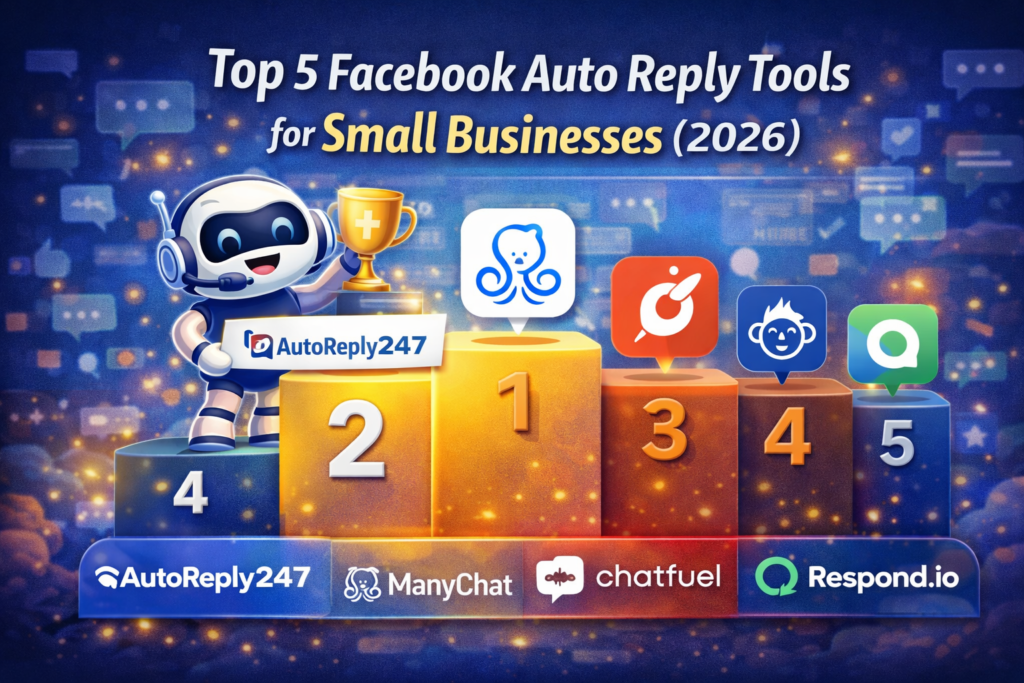

Top 5 Facebook Auto Reply Tools for Small Businesses (2026)

If you’re running a business on Facebook, one thing is clear:

👉 Speed = Sales

Customers expect instant replies — and if you’re slow, they move on.

That’s why more businesses are now using auto reply tools to handle messages 24/7.

But with so many options out there…

👉 Which one should you choose?

In this guide, we’ll break down the Top 5 Facebook Auto Reply Tools for 2026 — so you can pick the best one for your business.


Why You Need an Auto Reply Tool

Before we dive in, here’s the reality:

  • You can’t reply all the time
  • Customers message anytime (even late at night)
  • Fast replies increase conversions

👉 Without automation, you’re losing leads every day.


🥇 1. AutoReply247 (Best Overall for Small Businesses)

AutoReply247 is built specifically for small businesses that want:

  • Instant replies
  • AI-powered responses
  • More sales with less effort

🔥 Key Features:

  • ⚡ Instant auto replies
  • 🤖 AI that understands customer questions
  • 💬 Keyword-based responses
  • 🔁 Automated follow-ups
  • 📊 Simple and easy setup

✅ Why It’s #1:

Unlike complex tools, AutoReply247 focuses on what actually matters — speed and conversions.

It’s perfect if you want something:

  • Easy to use
  • Affordable
  • Built for selling (not just chatting)

🥈 2. ManyChat

ManyChat is one of the most popular chatbot platforms.

🔥 Features:

  • Visual flow builder
  • Messenger automation
  • Email + SMS integration

👍 Pros:

  • Powerful automation
  • Good for advanced funnels

👎 Cons:

  • Can be complicated for beginners
  • Takes time to set up

👉 Best for: Businesses that want advanced automation workflows


🥉 3. Chatfuel

Chatfuel is another well-known Facebook automation tool.

🔥 Features:

  • No-code chatbot builder
  • AI automation
  • Templates available

👍 Pros:

  • Beginner-friendly
  • Decent automation features

👎 Cons:

  • Limited flexibility compared to others
  • Can feel outdated

👉 Best for: Simple chatbot setups


4. MobileMonkey (Customers.ai)

MobileMonkey (now Customers.ai) focuses on multi-channel messaging.

🔥 Features:

  • Facebook + Instagram automation
  • Omni-chat inbox
  • Lead capture tools

👍 Pros:

  • Multi-platform support
  • Marketing-focused

👎 Cons:

  • Pricing can be high
  • Interface can be confusing

👉 Best for: Businesses running multi-channel campaigns


5. Respond.io

Respond.io is more of a customer messaging platform.

🔥 Features:

  • Unified inbox
  • CRM-like system
  • Team collaboration

👍 Pros:

  • Great for teams
  • Scalable

👎 Cons:

  • Overkill for small businesses
  • More expensive

👉 Best for: Larger teams and agencies


⚔️ Quick Comparison

ToolBest ForEase of UsePricePower
AutoReply247Small businesses⭐⭐⭐⭐⭐💲⭐⭐⭐⭐⭐
ManyChatAdvanced users⭐⭐⭐💲💲⭐⭐⭐⭐⭐
ChatfuelBeginners⭐⭐⭐⭐💲⭐⭐⭐
MobileMonkeyMulti-channel⭐⭐⭐💲💲💲⭐⭐⭐⭐
Respond.ioTeams⭐⭐💲💲💲⭐⭐⭐⭐⭐

💡 Which One Should You Choose?

Here’s the simple answer:

  • Want simple + effective + sales-focused? → AutoReply247
  • Want complex funnels? → ManyChat
  • Want basic automation? → Chatfuel
  • Want multi-channel marketing? → MobileMonkey
  • Want team inbox system? → Respond.io

📈 The Truth About Auto Reply Tools

Most tools focus on features…

But the real goal is:

👉 Getting more sales from your messages

The best tool is the one that helps you:

  • Reply faster
  • Convert more
  • Save time

Conclusion

If you’re still replying manually…

👉 you’re already behind.

Auto reply tools are no longer optional — they’re essential.

And if you want the easiest way to start:

👉 Go with a tool built for speed and simplicity.


🚀 Want to reply to every customer instantly?

Try AutoReply247 and automate your Facebook & Instagram messages in minutes.

👉 Get started now: https://autoreply247.com
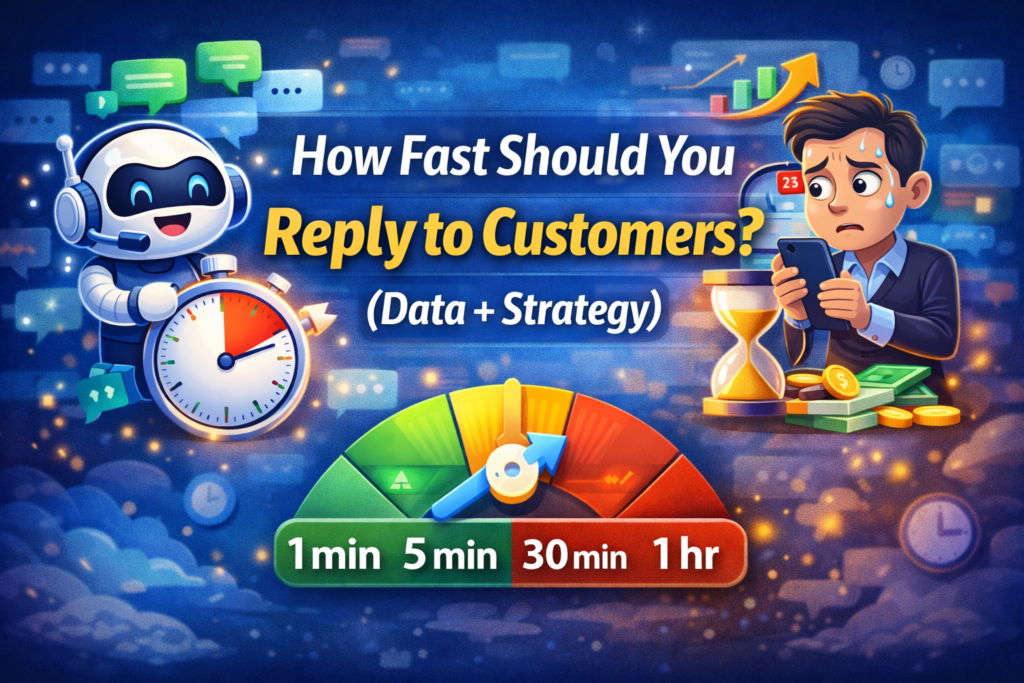
How Fast Should You Reply to Customers? (Data + Strategy)

Let’s get straight to the point:

👉 Speed is everything when it comes to sales.

You could have the best product, the best price, and the best offer…

…but if you reply late?

You lose.

So the real question is:

👉 How fast should you actually reply to customers to win more sales?

Let’s break it down with real data and a simple strategy you can apply today.


The Reality: Customers Expect Instant Replies

Today’s customers are impatient — and that’s not a bad thing.

It just means:

👉 They’re ready to buy now.

Here’s what happens when someone sends you a message:

  • They’re interested
  • They’re comparing sellers
  • They’re ready to decide quickly

If you delay your response…

👉 someone else will take that sale.


📊 The Ideal Response Time (Based on Data)

Here’s a simple breakdown:

  • Within 1 minute → 🔥 Highest conversion rate
  • Within 5 minutes → ✅ Still very strong
  • Within 30 minutes → ⚠️ Conversion drops significantly
  • 1 hour or more → ❌ Most customers are gone

👉 The sweet spot: Reply within 1–5 minutes

Anything slower, and you’re already losing opportunities.


Why Fast Replies Win More Sales

1. You Catch Customers While They’re Interested

Interest fades quickly.

If you respond instantly, you catch them at peak buying intent.


2. You Beat Your Competitors

Customers message multiple sellers.

👉 The fastest responder usually wins.


3. You Build Trust Instantly

Fast replies signal:

  • Professionalism
  • Reliability
  • Good customer service

4. You Keep the Conversation Alive

The longer the delay, the colder the lead becomes.

Fast replies keep momentum going.


⚠️ The Problem With Manual Replies

Let’s be honest:

You can’t reply within 1 minute all the time.

  • You sleep
  • You work on other tasks
  • You get busy
  • You miss notifications

👉 Manual replies = inconsistent speed

And inconsistency = lost sales.


💡 The Smart Strategy: Instant First Reply

Here’s what actually works:

👉 You don’t need to reply personally in 1 minute…

👉 You just need to respond instantly.

Step 1: Set an Instant Auto Reply

Example:

“Hi! 👋 Thanks for your message. We’ll assist you right away.”


Step 2: Answer Common Questions Automatically

  • Price
  • Availability
  • Location
  • Delivery

Step 3: Follow Up Automatically

If they don’t reply:

“Hi 😊 Just checking if you’re still interested!”


Step 4: Jump In Manually When Needed

You can still take over the conversation anytime.


📈 What Happens When You Reply Faster

Once you implement fast replies, you’ll see:

  • More conversations
  • Higher engagement
  • Faster decisions
  • More closed sales

👉 Speed doesn’t just improve experience — it directly increases revenue.


🔥 Real Talk: Timing Is the New Advantage

Before, businesses competed on:

  • Price
  • Product
  • Branding

Now?

👉 They compete on response time.

The fastest business often wins — even if they’re not the cheapest.


Conclusion

If you’re replying after 30 minutes or more…

👉 you’re already too late.

Customers want answers now — not later.

The solution isn’t to work harder…

👉 it’s to respond faster.


🚀 Want to reply to every customer instantly?

Try AutoReply247 and automate your Facebook & Instagram messages in minutes.

👉 Get started now: https://autoreply247.com
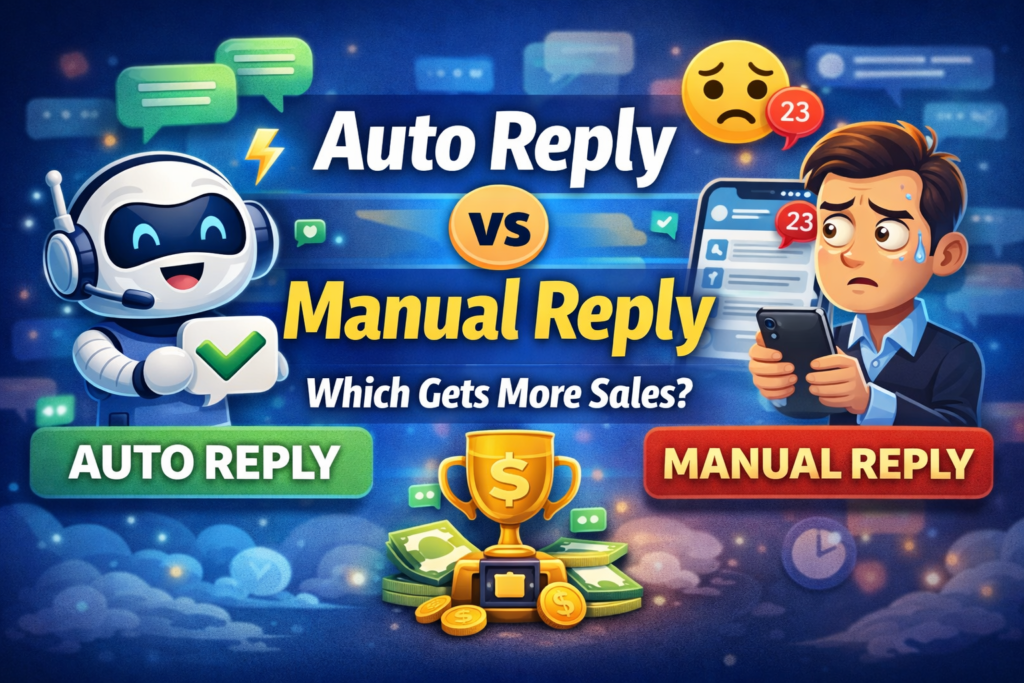

Auto Reply vs Manual Reply: Which Gets More Sales?

If you’re running a business on Facebook or Instagram, you’ve probably asked yourself this:

👉 Should I reply to customers manually… or use auto reply?

At first, manual replies feel more “personal.”

But here’s the reality:

👉 Speed matters more than personalization.

And in most cases, auto reply wins — by a lot.

Let’s break it down.


The Real Problem: Slow Replies Kill Sales

When you reply manually, this usually happens:

  • You don’t see the message right away
  • You’re busy or offline
  • You reply late
  • The customer is already gone

Today’s customers don’t wait.

They message multiple sellers and buy from whoever replies first.

👉 If you’re not first, you’re forgotten.


Manual Reply: Pros and Cons

✅ Pros:

  • More personal
  • Can handle complex questions
  • Feels “human”

❌ Cons:

  • Slow response time
  • Not scalable
  • You can’t reply 24/7
  • You lose leads when offline

Manual replies work…
but only if you’re always available.

And let’s be real — that’s not sustainable.


Auto Reply: Pros and Cons

✅ Pros:

  • Instant replies (24/7)
  • Never miss a message
  • Handles multiple customers at once
  • Consistent answers
  • Saves time

❌ Cons:

  • Can feel robotic (if done poorly)
  • Needs proper setup

But here’s the key:

👉 A well-set-up auto reply system doesn’t feel robotic — it feels efficient.


⚔️ Auto Reply vs Manual Reply (Side-by-Side)

FeatureManual ReplyAuto Reply
SpeedSlowInstant ⚡
AvailabilityLimited24/7 🕒
ScalabilityLowHigh 📈
ConsistencyVariesConsistent
Sales PotentialMediumHigh 💰

👉 The winner? Auto Reply — no contest.


💡 The Smart Strategy (Best of Both Worlds)

Here’s what top-performing businesses do:

They don’t choose one…

👉 They combine both.

Use Auto Reply for:

  • First response
  • FAQs (“price”, “location”, “available”)
  • Follow-ups

Use Manual Reply for:

  • Closing the sale
  • Special requests
  • High-value customers

This way:

  • You respond instantly
  • You still sound human
  • You maximize conversions

📈 Why Auto Reply Increases Sales

Here’s what happens when you switch to auto reply:

  • Customers get instant attention
  • They stay engaged longer
  • You respond before competitors
  • You capture more leads

👉 More replies = more conversations
👉 More conversations = more sales

Simple math.


🚀 Real Talk: Speed Beats Perfection

Most business owners overthink replies.

They try to craft the “perfect message”…

…but send it too late.

Meanwhile, your competitor sends a simple:

👉 “Hi! How can we help?”

…and gets the sale.


Conclusion

Manual replies are good…

But they’re not enough anymore.

If you want to grow faster, respond quicker, and close more sales:

👉 You need automation.

The businesses winning today aren’t working harder…

They’re replying faster.


🚀 Want to reply to every customer instantly?

Try AutoReply247 and automate your Facebook & Instagram messages in minutes.

👉 Get started now: https://autoreply247.com